
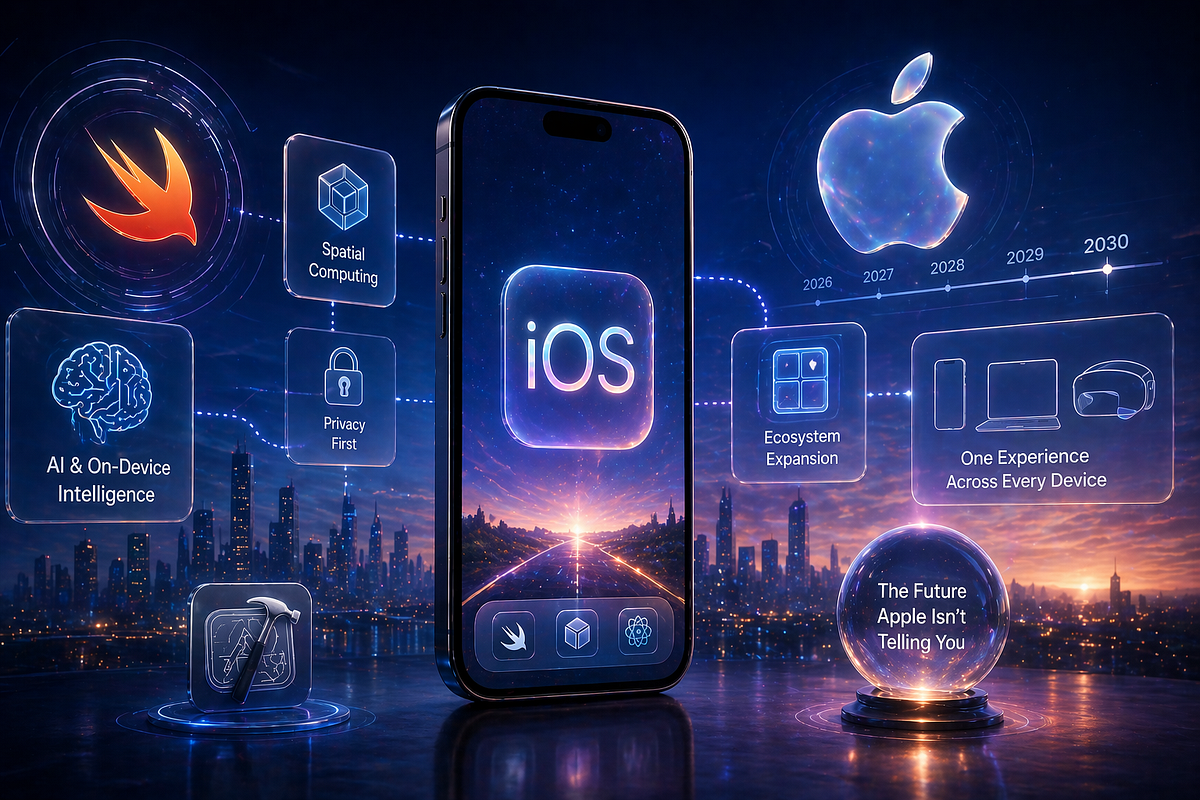
The iPhone continues to be one of the most influential smartphones in the United States. For many Americans, it is no longer simply a device for calls, texts, photos, and social media. It has become a digital wallet, camera, navigation system, entertainment device, productivity tool, communication hub, and increasingly, an AI-powered assistant.
In 2026, artificial intelligence is one of the biggest themes shaping the smartphone experience. Apple has been adding AI-related capabilities across its software ecosystem, while users are also paying more attention to privacy, security, battery life, cameras, performance, and how long their devices will receive software updates.
But what should everyday iPhone users actually know?
This guide explains the major iPhone trends in 2026, including AI capabilities, privacy, cameras, performance, battery technology, connectivity, security, apps, and what to consider before buying or upgrading.
iPhone in 2026: More Than Just a Smartphone
Modern iPhones combine several technologies in one device.
You can use an iPhone to:
- Make phone calls.
- Send messages.
- Take professional-looking photographs.
- Record high-quality video.
- Navigate with maps.
- Make contactless payments.
- Track fitness and health-related information.
- Work remotely.
- Edit documents.
- Watch movies and videos.
- Play games.
- Use AI-powered features.
- Control smart-home devices.
This combination is one reason smartphones have become central to everyday digital life.
The difference in 2026 is that AI is increasingly being integrated into ordinary smartphone tasks instead of existing only as a separate chatbot or application.
Apple Intelligence and AI on iPhone
Artificial intelligence is one of the biggest developments in Apple’s software ecosystem.
Apple’s AI strategy focuses on integrating intelligent capabilities into features people already use, including writing, communication, notifications, image-related tasks, and assistance with everyday activities.
Instead of always opening a separate AI application, users may encounter AI features directly within the operating system.
Potentially useful AI-powered tasks include:
- Rewriting text.
- Summarizing information.
- Creating or editing images.
- Organizing notifications.
- Helping with everyday requests.
- Understanding information displayed on the device.
- Improving communication workflows.
The availability of specific AI features depends on Apple’s software version, device model, language, region, and other requirements.
That means not every iPhone sold in the USA necessarily provides exactly the same AI experience.
Why the iPhone’s AI Hardware Matters
AI processing requires computing power.
Modern smartphones increasingly use specialized hardware for machine-learning tasks.
Apple’s chips include dedicated components designed to handle machine-learning workloads efficiently.
This can allow certain AI operations to be processed directly on the device rather than sending every task to a remote server.
That distinction matters for both performance and privacy.
On-Device AI
When processing happens on the device, information may not need to leave the phone for every task.
This can potentially provide:
- Lower latency.
- Better responsiveness.
- Greater privacy for certain workloads.
- Reduced dependence on an internet connection.
However, more demanding AI tasks may still require cloud-based processing.
Private Cloud Processing
Some AI workloads are too computationally demanding to run entirely on a smartphone.
In those situations, cloud infrastructure can provide additional processing power.
Apple has emphasized privacy protections around its cloud-based AI approach.
For users, the practical takeaway is simple:
AI does not automatically mean that everything on your phone is being sent to a server.
The specific handling of information depends on the feature being used.
iPhone Privacy in 2026
Privacy remains an important part of Apple’s smartphone strategy.
iPhone users can control permissions for:
- Location.
- Camera.
- Microphone.
- Photos.
- Contacts.
- Bluetooth.
- Local network access.
- Notifications.
- Tracking.
These permissions help users decide which applications can access sensitive information.
For example, a navigation application may need location access while a calculator generally does not.
App Tracking Transparency
Apple’s tracking controls allow users to make choices about whether applications can track activity across other companies’ apps and websites for advertising or measurement purposes.
This gives users greater visibility into some forms of digital tracking.
However, privacy is not simply a setting you enable once.
It is worth reviewing permissions periodically because your installed apps and usage patterns change over time.
iPhone Security
Smartphone security is another major consideration.
An iPhone can contain:
- Banking information.
- Email accounts.
- Photos.
- Private messages.
- Passwords.
- Authentication credentials.
- Payment information.
- Personal documents.
If someone gains access to your phone or account, the consequences can extend beyond the device itself.
Use a strong device passcode and enable available account-security features.
Biometric authentication can also make everyday unlocking and authentication more convenient while maintaining device protection.
Passkeys and Passwordless Login
Passwords remain a major source of online security problems.
People frequently reuse passwords or choose passwords that are easier to remember than they are to protect.
Passkeys are becoming an increasingly important alternative.
Instead of remembering a traditional password, a passkey uses cryptographic technology and device-based authentication.
Depending on the service, users may authenticate with Face ID, Touch ID, a device passcode, or another supported method.
For consumers, passkeys can reduce the burden of remembering passwords and can provide strong protection against certain types of phishing attacks.
iPhone Cameras in 2026
The camera remains one of the most important reasons people choose a premium smartphone.
Modern iPhones can combine:
- Multiple camera lenses.
- Computational photography.
- Advanced image processing.
- HDR technology.
- Night photography.
- Portrait effects.
- High-resolution video.
- Stabilization.
- AI-assisted image processing.
The camera hardware is only part of the story.
Much of the final image quality comes from software.
The phone analyzes the captured information and processes it to improve exposure, color, detail, noise, and dynamic range.
Computational Photography
Computational photography has transformed smartphone cameras.
A traditional camera may capture a single exposure.
A smartphone can combine information from multiple frames to create a final photograph.
This can be particularly useful in challenging lighting conditions.
For everyday users, it means that a modern iPhone can produce high-quality images without requiring extensive manual camera knowledge.
iPhone Video Recording
The iPhone has also become a popular tool for video creators.
Creators use smartphones for:
- YouTube videos.
- TikTok content.
- Instagram Reels.
- Short-form videos.
- Interviews.
- Product demonstrations.
- Travel content.
- Family videos.
The combination of stabilization, high-resolution recording, microphones, editing applications, and powerful processors makes the iPhone a compact production system.
Gaming on iPhone
Mobile gaming has become more sophisticated.
Modern iPhone processors can handle demanding games that previously required dedicated gaming hardware.
Features such as high-refresh-rate displays on supported models, powerful graphics processors, and improved thermal management can make gaming more enjoyable.
Cloud gaming also allows some games to be streamed instead of installed locally, although performance depends heavily on the quality of the internet connection.
Battery Life and Charging
Battery life remains one of the most important practical smartphone concerns.
A powerful processor, bright display, high-resolution camera, 5G connectivity, and AI processing can all consume energy.
Battery performance depends on several factors, including:
- Screen brightness.
- Cellular signal.
- 5G usage.
- Gaming.
- Camera recording.
- Background applications.
- Location services.
- Battery age.
- Temperature.
Users can improve battery life by reviewing background activity and reducing unnecessary features.
Battery Health
Lithium-ion batteries naturally lose capacity over time.
That means an iPhone that lasts all day when new may provide less battery life after years of heavy use.
Apple provides battery-health information that can help users understand the condition of the battery.
For many people, replacing the battery can extend the useful life of a phone instead of replacing the entire device.
5G Connectivity
5G has become an important part of modern iPhone connectivity in the USA.
Depending on the carrier, location, device, and network conditions, 5G can provide faster download speeds and lower latency than older cellular technologies.
However, actual performance varies considerably.
A phone displaying a 5G indicator does not guarantee that you will always experience maximum 5G speeds.
Network congestion, signal strength, spectrum availability, building materials, and carrier infrastructure all affect real-world performance.
eSIM and Digital Connectivity
Modern iPhones increasingly rely on eSIM technology rather than traditional physical SIM cards, depending on the model and market.
eSIM can make it easier to activate or change cellular plans without physically replacing a SIM card.
It can also be useful for travelers who want to use another compatible cellular plan.
Before changing carriers, however, users should confirm device compatibility, carrier support, and whether the phone is unlocked.
Emergency and Satellite Connectivity
Connectivity is no longer limited to traditional cellular networks.
Certain iPhone models and services support satellite-based emergency or communication capabilities in supported regions.
These technologies are designed for situations where normal cellular connectivity is unavailable.
Availability varies based on:
- Device model.
- Country.
- Service.
- Infrastructure.
- Emergency feature requirements.
Users should check the capabilities supported by their specific iPhone rather than assuming every model has identical functionality.
USB-C and Accessories
USB-C has become an important part of Apple’s hardware ecosystem.
A USB-C connection can simplify charging and connectivity across compatible devices.
It can also allow users to connect certain accessories, storage devices, displays, and other hardware.
However, USB-C does not mean every cable or accessory provides identical charging or data-transfer performance.
When buying accessories, check the specifications rather than choosing solely based on the connector shape.
How Long Does an iPhone Last?
One of the advantages of buying a premium smartphone is the potential for a long usable life.
An iPhone may continue receiving software updates for years, although the exact support period varies by model.
The practical lifespan also depends on:
- Battery health.
- Storage capacity.
- Physical condition.
- Performance requirements.
- Software support.
- User needs.
A phone does not necessarily need to be replaced simply because a newer model has launched.
If your current iPhone performs well, receives important software updates, and has enough battery life and storage, continuing to use it may be perfectly reasonable.
Should You Upgrade Your iPhone in 2026?
The answer depends on your current phone and what you need.
An upgrade may make more sense if your current device has:
- Poor battery health.
- Insufficient storage.
- Damaged hardware.
- Performance problems.
- Limited software support.
- Camera limitations that matter to you.
- Missing features you specifically want.
On the other hand, upgrading may provide less practical benefit if your current iPhone already handles your daily tasks comfortably.
Instead of upgrading simply because a new model exists, compare the features you actually use.
What to Consider Before Buying an iPhone
Before purchasing an iPhone in 2026, consider these factors:
1. Storage
Photos, videos, games, and applications can consume storage quickly.
Choose enough storage for several years rather than only your current needs.
2. Camera
If you regularly create videos or photographs, compare the camera systems carefully.
3. Battery
Battery capacity and efficiency matter for heavy users.
4. AI Features
If AI capabilities are important to you, check whether your chosen model supports the specific features you want.
5. Display
Consider size, brightness, refresh rate, and viewing comfort.
6. Connectivity
Check 5G, Wi-Fi, Bluetooth, eSIM, and accessory compatibility.
7. Price
Do not automatically assume the most expensive model is necessary.
Choose features according to your actual usage.
iPhone Privacy Checklist
For better privacy and security, iPhone users should periodically:
- Review location permissions.
- Review microphone access.
- Review camera access.
- Check app tracking permissions.
- Remove unused applications.
- Update iOS.
- Use a strong passcode.
- Enable account security features.
- Use passkeys where supported.
- Review connected devices.
- Be careful with public Wi-Fi.
- Avoid suspicious links.
- Keep important data backed up.
Frequently Asked Questions
What is the biggest iPhone trend in 2026?
Artificial intelligence is one of the biggest trends, with AI increasingly integrated into smartphone software and everyday tasks.
Does every iPhone support the same AI features?
No. AI capabilities can depend on the specific iPhone model, operating-system version, language, region, and feature requirements.
Is the iPhone secure?
The iPhone includes multiple hardware and software security features, but no device is completely immune to security threats. Users should still use strong passwords, updates, account protection, and safe online habits.
Does iPhone AI always use the cloud?
No. Some AI processing can happen on the device, while more demanding tasks may use cloud-based processing depending on the feature.
Should I buy an iPhone in 2026?
The decision depends on your budget, current phone, desired features, and how long you plan to keep the device. Compare the features you actually need rather than upgrading solely because a newer model is available.
How can I improve iPhone privacy?
Review app permissions, tracking settings, location access, camera and microphone permissions, account security, and installed applications. Keeping iOS updated is also important.
Final Thoughts
The iPhone in 2026 is increasingly becoming an AI-powered computing platform rather than simply a traditional smartphone.
Artificial intelligence, computational photography, powerful processors, 5G, privacy controls, passkeys, satellite connectivity, and increasingly sophisticated applications are changing what users can do from a device that fits in their pocket.
At the same time, consumers should not assume that every new feature is automatically necessary.
The best smartphone setup is the one that matches your needs.
If you care about photography, focus on camera capabilities. If privacy matters most, examine permissions and tracking controls. If you use AI extensively, check device compatibility with the features you want. If battery life is your priority, compare real-world battery performance and power-management features.
For American consumers in 2026, understanding these differences can help make smartphone decisions more practical and informed.
Primary SEO Keyword
iPhone in 2026
Secondary SEO Keywords
- iPhone 2026
- iPhone AI features
- Apple Intelligence
- iPhone privacy
- iPhone security
- iPhone camera
- iPhone battery life
- iPhone 5G
- iPhone features 2026
- new iPhone features
- iPhone technology
- iPhone AI capabilities
- iPhone upgrade
- iPhone USA
- Apple smartphone
- iPhone privacy settings
Meta Description
Discover what’s changing with the iPhone in 2026, including AI capabilities, Apple Intelligence, privacy, security, cameras, battery life, 5G, satellite connectivity, and upgrade tips for US users.







Leave a Reply