
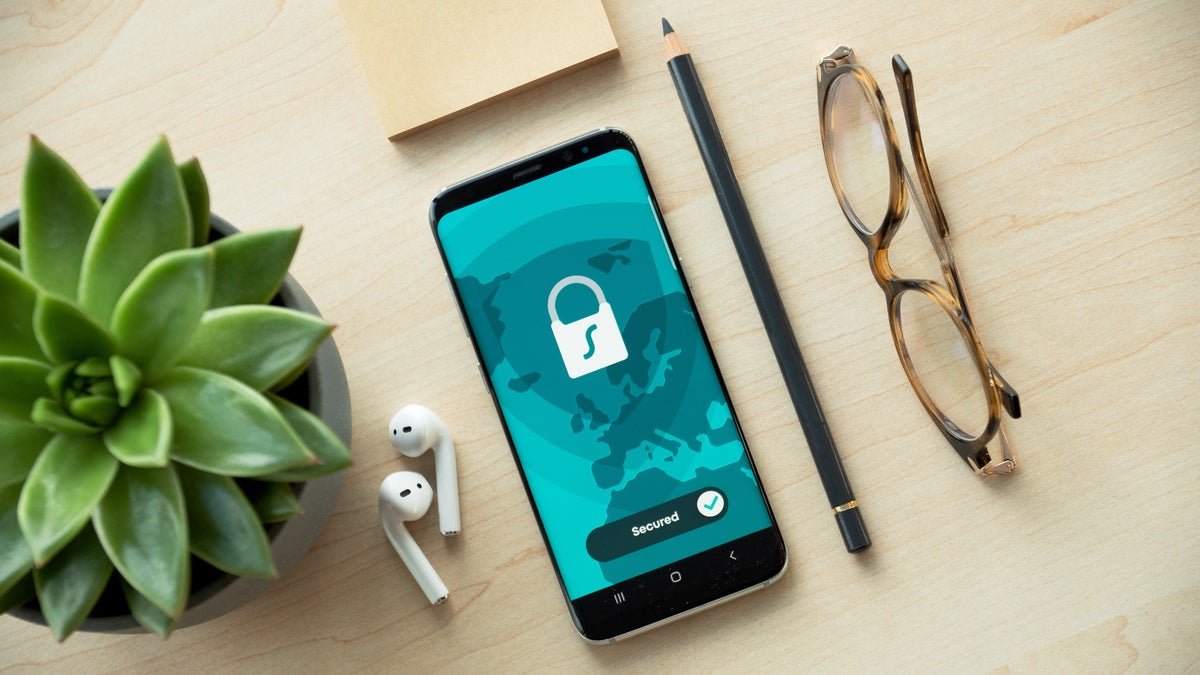
Your smartphone knows a surprising amount about your daily life.
It may know where you go, which apps you use, what websites you visit, who you communicate with, and which services you regularly access. Some of this information is necessary for features such as navigation, weather, food delivery, emergency services, and personalized recommendations.
But that does not necessarily mean your phone is secretly watching everything you do.
The more accurate question is: What information can your smartphone and apps access, why do they need it, and how much control do you have over that access?
For Americans using iPhones and Android phones in 2026, understanding smartphone privacy has become increasingly important. Both major mobile platforms provide privacy and permission controls, but users still need to review those settings and understand what they mean.
This guide explains smartphone tracking, location services, app permissions, advertising identifiers, microphones, cameras, Wi-Fi, Bluetooth, and practical steps you can take to improve your privacy.
Is Your Smartphone Actually Tracking You?
The word “tracking” can mean several different things.
Your phone may collect or process information for legitimate purposes, such as:
- Providing GPS navigation.
- Finding a lost device.
- Showing local weather.
- Connecting to Wi-Fi networks.
- Making cellular calls.
- Delivering notifications.
- Improving app functionality.
- Personalizing certain services.
Individual apps can also request access to information such as your location, camera, microphone, contacts, photos, or files.
The important issue is permission and purpose.
For example, a navigation app needs location information to provide turn-by-turn directions. A calculator app generally has little reason to continuously access your location.
That is why reviewing app permissions is one of the easiest ways to improve smartphone privacy.
How Location Tracking Works
Location is one of the most sensitive types of smartphone information.
Your phone can determine its approximate or precise location using technologies such as:
- GPS.
- Cellular networks.
- Wi-Fi networks.
- Bluetooth signals.
- Device sensors.
Location information can be useful, but it can also reveal patterns about your daily activities.
Depending on the operating system and app, you may be able to choose between different levels of location access.
An app might request:
- Never.
- Ask next time.
- While using the app.
- Always or background access.
When an app does not need continuous location access, limiting it to while-you-use-the-app access can reduce unnecessary background collection.
iPhone Privacy: Important Settings to Check
Apple provides several privacy controls on the iPhone.
The exact names and locations of settings can change between iOS versions, but the general privacy categories remain important.
1. Location Services
Go to your iPhone’s privacy and location settings and review which apps can access your location.
Look carefully at apps that have access when you are not actively using them.
For many apps, “While Using” may be sufficient.
You can also review whether an app is requesting precise location.
If an app only needs an approximate area, disabling precise location may be appropriate.
2. App Tracking Transparency
Apple provides controls that allow users to decide whether apps can track activity across other companies’ apps and websites for advertising or measurement purposes.
When an app asks for tracking permission, consider whether you actually want to grant it.
You can also review tracking permissions in iPhone settings.
3. Camera and Microphone
Check which apps have permission to use your camera and microphone.
A video conferencing application may legitimately need both.
A simple utility app may not.
If an app no longer needs access, you can revoke the permission.
4. Photos
Modern iPhones can provide apps with limited access to your photo library rather than necessarily giving every app access to everything.
When an app asks for photo access, consider whether it needs your entire library or only selected images.
5. Contacts
Be careful when granting access to your contacts.
Some apps may request contact access for social features, invitations, or communication.
If you do not need that functionality, you may not need to provide access.
Android Privacy: Important Settings to Check
Android phones provide extensive permission controls as well.
The exact menus can vary by manufacturer and Android version, but users can generally manage permissions for individual applications.
Important categories include:
- Location.
- Camera.
- Microphone.
- Contacts.
- Phone.
- SMS.
- Photos and videos.
- Files.
- Nearby devices.
Review permissions periodically rather than assuming that an app’s original permissions are still necessary.
Permission Manager
Many Android devices provide a centralized permission management area.
This can help you identify which applications have access to sensitive features.
Pay particular attention to:
- Location access.
- Microphone access.
- Camera access.
- Contacts.
- Files and photos.
If an application has access that does not make sense for its purpose, consider removing the permission.
Can Apps Track Your Location?
Yes, some apps can access location information when you grant them permission.
But location access does not automatically mean that an app is continuously watching you.
The actual behavior depends on:
- The permission granted.
- The app’s design.
- Operating-system restrictions.
- Whether background access is allowed.
- The service’s privacy practices.
A weather application may use your location to provide local forecasts.
A maps application may need location continuously while navigating.
A shopping application may not need precise location at all times.
The key is to match permissions with functionality.
What About the Microphone?
One of the most common smartphone privacy concerns is whether apps are secretly listening to conversations.
Modern mobile operating systems provide indicators and permission controls intended to make microphone access more visible.
However, users should still review which apps have microphone permission.
If an app does not need microphone access, there is usually little reason to leave that permission enabled.
You should also pay attention to unexpected microphone indicators.
If you notice unusual behavior, review your installed applications and permissions.
What About the Camera?
The same principle applies to camera access.
Social media apps, video applications, scanning apps, and communication platforms may legitimately require camera access.
But not every app needs it.
Review your camera permissions and remove access from apps that do not require the feature.
Also keep your phone’s operating system updated because security updates can address vulnerabilities that could otherwise expose sensitive device capabilities.
Advertising IDs and Personalized Advertising
Smartphones and apps can use advertising-related identifiers and other technologies to help measure advertising or personalize advertisements.
This is different from saying that your phone is secretly recording every conversation.
Advertising ecosystems can use information from apps, websites, device settings, and online activity to build advertising profiles or measure interactions.
Both iPhone and Android provide privacy controls that can limit some forms of advertising personalization and tracking.
If privacy is important to you, explore the advertising and tracking controls available on your device.
Why Do You See Ads About Things You Just Searched?
This experience often makes people think:
“My phone must be listening to me.”
But there are many other explanations.
Advertising systems can use signals such as:
- Websites you visited.
- Searches.
- Apps you use.
- Online purchases.
- Approximate location.
- Previous interactions with advertisements.
- Interests inferred from your online activity.
- Activity across connected services.
For example, if you search for running shoes and later see running-shoe advertisements, an advertising system may have inferred your interest from your browsing or search activity.
That does not by itself prove that your microphone was used.
Wi-Fi and Bluetooth Tracking
Location privacy is not limited to GPS.
Your phone constantly interacts with wireless networks and nearby devices.
Wi-Fi networks can provide information useful for determining approximate location.
Bluetooth is also used for connecting devices and nearby services.
Modern operating systems have introduced privacy protections around wireless identifiers, but users should still be cautious about connecting to unknown networks and devices.
Public Wi-Fi
Free Wi-Fi at airports, hotels, restaurants, cafes, and other public locations can be convenient.
However, users should avoid treating every public Wi-Fi network as trustworthy.
For sensitive tasks:
- Prefer cellular data when practical.
- Verify the network name.
- Avoid entering sensitive information on suspicious websites.
- Keep your device updated.
- Use HTTPS websites.
- Avoid downloading unknown files.
Smartphone Privacy and Public Wi-Fi
Public Wi-Fi does not automatically mean that someone can instantly see everything on your phone.
Modern websites and apps commonly use encryption to protect data in transit.
Nevertheless, unsecured networks can create security risks, particularly when users connect to malicious or fake hotspots.
One useful rule is simple:
If you would not trust the network owner with sensitive information, avoid performing highly sensitive activities on that connection.
How to Check Which Apps Have Access to Your Data
Make a privacy audit of your smartphone.
Start with the most sensitive permissions:
Location
Ask yourself:
Does this app actually need to know where I am?
Microphone
Ask:
Does this app need to record or process audio?
Camera
Ask:
Does this app need to take photographs or videos?
Contacts
Ask:
Does this app genuinely require access to my address book?
Photos
Ask:
Does this app need my entire photo library?
Files
Ask:
Why does this application need access to documents or stored files?
If you cannot identify a legitimate reason, consider removing the permission.
Use Strong Account Security
Smartphone privacy also depends on account security.
Even if your device itself is secure, a compromised Apple Account, Google Account, email account, or social media account can expose personal information.
Use:
- Strong, unique passwords.
- Multi-factor authentication.
- Passkeys where available.
- Updated recovery information.
- A reputable password manager.
Avoid reusing the same password across multiple services.
If one website suffers a data breach, reused passwords can put other accounts at risk.
Keep Your Smartphone Updated
Software updates are not just about getting new features.
They can also contain security fixes.
Enable automatic updates where appropriate and install important operating-system updates promptly.
The same applies to applications.
Old software may contain vulnerabilities that have already been fixed in newer releases.
Be Careful With Unknown Apps
Install applications from trusted sources whenever possible.
Before installing an unfamiliar application, look at:
- Developer name.
- Reviews.
- Download information.
- Requested permissions.
- Privacy policy.
- Update history.
- Whether the app actually provides the functionality you need.
Be especially cautious when an app asks for sensitive permissions that appear unrelated to its purpose.
What Happens When You Delete an App?
Deleting an app removes it from your device, but it does not necessarily delete information the company already collected.
An account associated with an application may continue to exist online.
If you want to remove your information from a service, look for the company’s account deletion or data deletion process.
This distinction is important:
Deleting an app and deleting an account are not always the same thing.
Should You Turn Off All Tracking?
Not necessarily.
Some location and tracking-related features are useful.
For example, completely disabling location could make navigation, emergency features, weather information, and device-finding tools less convenient.
The goal does not have to be eliminating every form of data collection.
A better approach is to understand the settings and choose permissions based on your own needs.
A Simple Smartphone Privacy Checklist
Use this checklist every few months:
- Review location permissions.
- Review camera permissions.
- Review microphone permissions.
- Review contacts permissions.
- Review photo permissions.
- Remove apps you no longer use.
- Update your operating system.
- Update applications.
- Enable multi-factor authentication.
- Use unique passwords.
- Review account login activity.
- Check advertising and tracking settings.
- Avoid suspicious Wi-Fi networks.
- Review connected devices.
- Turn on device-lock protection.
- Enable Find My iPhone or Find My Device.
A 10-minute privacy check can reveal applications that you no longer need or permissions you forgot you had enabled.
iPhone vs Android Privacy
Both iPhone and Android provide users with privacy and security controls, but the exact features and settings differ.
| Privacy Area | iPhone | Android |
|---|---|---|
| App permissions | Yes | Yes |
| Location controls | Yes | Yes |
| Camera permissions | Yes | Yes |
| Microphone permissions | Yes | Yes |
| Tracking controls | Yes | Yes |
| Account security | Apple Account | Google Account |
| Device finding | Find My | Find My Device |
| App privacy information | Available | Available |
| Permission management | Available | Available |
The important factor is not simply which operating system you use.
Your own settings, app choices, password habits, software updates, and online behavior also have a major impact on privacy and security.
Frequently Asked Questions
Is my iPhone tracking me?
An iPhone can use location and other device information to provide features and services. Apps can also request permissions. You can review and control many of these permissions through iPhone privacy settings.
Is Android tracking me?
Android devices can process location and other information for device and app functionality. Apps can also request permissions. Android provides tools for reviewing and controlling many of these permissions.
Can apps listen to my conversations?
Apps can access the microphone when they have the necessary permission and the operating system allows it. Users should regularly review microphone permissions and pay attention to unexpected microphone indicators.
How do I stop apps from accessing my location?
Open your phone’s privacy or app-permission settings and review location access for individual applications. Depending on the app and operating system, you may be able to select options such as no access, while using the app, or background access.
Should I turn off location services?
Not necessarily. Location services support useful features such as navigation, weather, emergency services, and finding a lost device. Instead, review individual app permissions and allow access according to your needs.
How often should I check privacy settings?
Checking every few months is a useful habit, especially after installing many new apps or major operating-system updates.
Final Thoughts
Your smartphone does not need to be treated as a mysterious device that secretly knows everything about you.
A better approach is to understand what information your phone and applications can access and why.
Review your location, camera, microphone, contacts, photos, and other permissions. Keep your software updated, use strong account security, and think carefully before installing unfamiliar applications.
Most importantly, remember that privacy is not an all-or-nothing decision.
You can allow an application to use the information it genuinely needs while limiting unnecessary access.
For iPhone and Android users in the USA, taking control of these settings is one of the simplest ways to improve digital privacy without giving up the convenience of modern smartphones.
Primary SEO Keyword
smartphone privacy
Secondary SEO Keywords
- smartphone tracking
- is my phone tracking me
- iPhone privacy
- Android privacy
- smartphone privacy 2026
- phone tracking USA
- app permissions
- location tracking
- iPhone tracking
- Android tracking
- mobile privacy
- smartphone security
- app privacy settings
- how to stop phone tracking
- protect smartphone privacy
- mobile security tips
Meta Description
Is your smartphone tracking you? Learn how iPhone and Android privacy works, including location tracking, app permissions, microphone, camera, advertising IDs, Wi-Fi, and practical privacy tips.








Leave a Reply